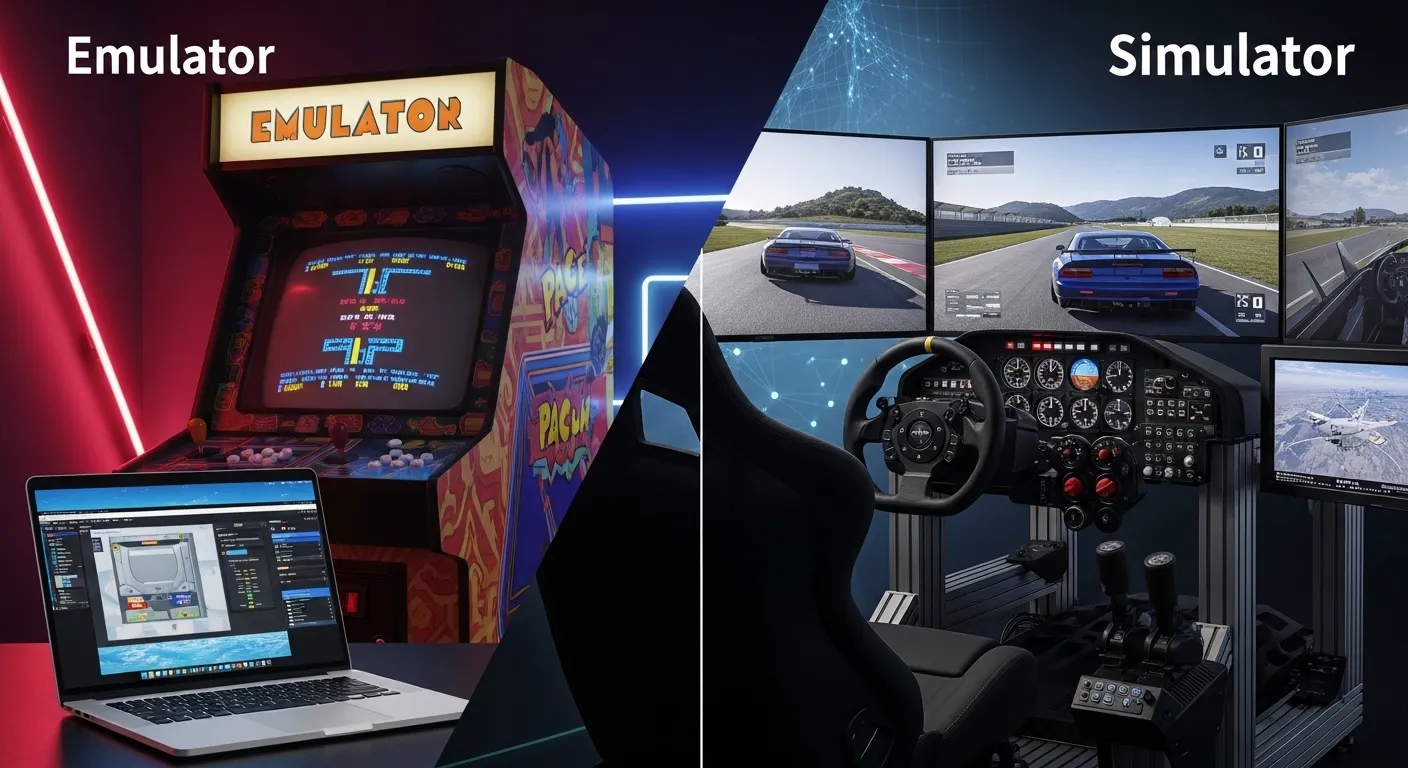
Imagine you want to test-drive a car. One option is to sit inside a real car placed in a controlled lab environment. Another option is to use a driving setup that only recreates the experience of driving without using the actual car system. This simple story explains the difference between emulator and simulator. An emulator copies a real system so closely that it behaves like the original. A simulator, on the other hand, imitates how a system works without copying its internal structure.
Understanding the difference between emulator and simulator is important in technology, gaming, education, and engineering. Many learners confuse these terms because both tools are used for testing and training. However, the difference between emulator and simulator becomes clear when we examine how deeply they replicate real systems. In this article, we will explore the difference between emulator and simulator in detail with examples and practical insights.
Key Difference Between the Both
The key difference lies in functionality and accuracy.
An emulator replicates both the hardware and software of a real system. It allows one system to behave exactly like another.
A simulator only imitates the behavior or environment of a system. It does not fully replicate the internal workings.
In simple words:
- Emulator = Copy of the real system
- Simulator = Imitation of how the system behaves
Why Is Their Difference Necessary to Know for Learners and Experts?
Understanding the difference is essential in today’s digital society. Developers use emulators to test applications across platforms. Engineers use simulators to train people safely. Medical students practice surgery on simulators before working on real patients. Game developers test old console games using emulators.
For learners, knowing the correct term improves technical accuracy. For experts, it helps in selecting the right tool for development, research, and training. Misunderstanding these tools can lead to poor decisions in project design and software testing.
Pronunciation of the Both (US & UK)
- Emulator
- US: /ˈɛm.jəˌleɪ.t̬ɚ/
- UK: /ˈem.jə.leɪ.tə/
- US: /ˈɛm.jəˌleɪ.t̬ɚ/
- Simulator
- US: /ˈsɪm.jəˌleɪ.t̬ɚ/
- UK: /ˈsɪm.jə.leɪ.tə/
- US: /ˈsɪm.jəˌleɪ.t̬ɚ/
Now that we know how to say them correctly, let’s dive deeper into their detailed comparison.
Difference Between the Keywords
1. Level of Replication
Emulator: Fully copies the original system.
Examples:
- Running Android apps on a PC using an Android emulator.
- Playing old Nintendo games on a computer.
Simulator: Copies only behavior.
Examples:
- Flight simulator for pilot training.
- Business simulation software for students.
2. Hardware Duplication
Emulator: Replicates hardware architecture.
Examples:
- Console emulator replicating gaming hardware.
- Embedded system emulator for chip testing.
Simulator: Does not duplicate real hardware.
Examples:
- Car driving simulator.
- Weather simulation software.
3. Accuracy
Emulator: Highly accurate reproduction.
Examples:
- Testing mobile apps in exact device environment.
- Retro gaming reproduction.
Simulator: Approximate representation.
Examples:
- Virtual surgery practice.
- Military combat training simulator.
4. Purpose
Emulator: Used for compatibility testing.
Examples:
- Software debugging.
- Cross-platform app development.
Simulator: Used for training and modeling.
Examples:
- Pilot training.
- Market prediction simulation.
5. Speed
Emulator: Often slower due to full replication.
Examples:
- Old game running slower on emulator.
- Mobile emulator lagging on PC.
Simulator: Usually faster.
Examples:
- Quick flight simulation session.
- Instant traffic simulation software.
6. Complexity
Emulator: Technically complex.
Examples:
- CPU architecture emulation.
- System-on-chip emulation.
Simulator: Less complex structure.
Examples:
- Classroom science simulations.
- Virtual lab software.
7. Cost
Emulator: May require high processing power.
Examples:
- High-end PC for game emulator.
- Developer testing tools.
Simulator: Can be low-cost or educational.
Examples:
- School learning simulator apps.
- Online driving simulator.
8. Real-Time Interaction
Emulator: Works like real device.
Examples:
- Testing real-time notifications.
- Running operating systems.
Simulator: Focused on scenario practice.
Examples:
- Emergency response simulation.
- Stock market practice simulator.
9. Risk Factor
Emulator: Safe for digital systems.
Examples:
- Testing virus in virtual environment.
- Software beta testing.
Simulator: Reduces physical risk.
Examples:
- Pilot error training.
- Surgery practice.
10. Output
Emulator: Produces same output as original.
Examples:
- Same game graphics as console.
- Same app interface as phone.
Simulator: Produces approximate output.
Examples:
- Estimated weather result.
- Approximate traffic flow.
Discuss the Nature and Behaviour of the Both Separately
Emulator:
Its nature is technical and system-focused. It behaves exactly like the original system it copies. It aims for precision and compatibility.
Simulator:
Its nature is practical and educational. It behaves according to programmed scenarios. It aims for learning, testing, and modeling outcomes.
Why People Are Confused About Their Use?
People confuse them because both recreate real-world systems. Both are used for training and testing. In casual conversation, people use the words interchangeably. However, the confusion happens because they ignore the technical depth of replication.
Difference and Similarity Table
| Feature | Emulator | Simulator | Similarity |
| Function | Copies full system | Imitates behavior | Both recreate systems |
| Accuracy | Exact | Approximate | Used for testing |
| Hardware | Replicated | Not replicated | Used in technology |
| Purpose | Compatibility | Training/Modeling | Risk reduction |
| Speed | Slower | Faster | Software-based |
Which Is Better in What Situation?
Emulator:
An emulator is better when you need exact system behavior. Developers testing mobile apps across different devices prefer emulators. Gamers who want to experience original console games on PCs also choose emulators. If accuracy and compatibility are your priorities, an emulator is the best option.
Simulator:
A simulator is better for training and education. Pilots, surgeons, engineers, and drivers use simulators to practice safely. If the goal is learning or modeling possible outcomes rather than copying a real device, a simulator is the right choice.
How the Keywords Are Used in Metaphors and Similes
- “He is an emulator of his mentor” (imitates exactly).
- “Life is a simulator; you learn by practice.”
- “She works like a flight simulator, preparing everyone for reality.”
Connotative Meaning of Both the Keywords
Emulator
- Positive: Copying excellence (He emulates great leaders.)
- Neutral: Technical replication.
- Negative: Blind imitation.
Simulator
- Positive: Safe practice environment.
- Neutral: Model-based system.
- Negative: Artificial or not real.
Idioms or Proverbs Related to the Words
While there are no direct idioms, related expressions include:
- “Practice makes perfect” – relates to simulator use.
Example: Pilots use simulators because practice makes perfect. - “Imitation is the sincerest form of flattery” – relates to emulator.
Example: A developer emulates a system; imitation is the sincerest form of flattery.
Works in Literature with the Names (Bullets)
- The Simulation Hypothesis – Non-fiction, Rizwan Virk, 2019
- Simulacra and Simulation – Philosophy, Jean Baudrillard, 1981
Movie Names Made on Keywords (Bullets)
- The Matrix (1999, USA) – Based on simulation concept
- eXistenZ (1999, Canada/UK) – Virtual simulation theme
Five Frequently Asked Questions
1. What is the main difference between emulator and simulator?
An emulator fully copies a system; a simulator only imitates behavior.
2. Which is more accurate?
An emulator is more accurate.
3. Are they used in gaming?
Yes, especially emulators.
4. Which is better for training?
Simulators are better for physical training.
5. Can a simulator replace an emulator?
No, because it does not replicate hardware fully.
How Both Are Useful for Surroundings
Emulators help software development and digital preservation. Simulators improve safety in aviation, medicine, and transport. Both reduce risk, save cost, and increase learning opportunities in modern society.
Final Words for the Both
Both emulator and simulator are powerful tools. They serve different purposes but contribute equally to technology and education.
Conclusion
The difference between emulator and simulator may seem small, but it has major technical importance. An emulator precisely copies a system, while a simulator imitates its behavior. This distinction matters for developers, engineers, students, and trainers. By understanding their nature, function, and purpose, we can choose the right tool for the right task. In today’s technology-driven world, knowing the correct usage of these terms enhances clarity and professional accuracy. Whether for software testing or safe training, both tools play a vital role in shaping modern innovation.
Also Read more About
Difference Between Strainer and Colander: A Simple Guide Every Kitchen Lover Should Know
Difference Between Excess and Umbrella: Simple Guide to Understand Their Meaning and Use
Difference Between QNED and OLED: Which TV Technology Is Better for You?
Difference Between Length and Height: Clear Guide with Examples for Everyday Understanding
Difference Between Coach and Mentor: Understanding Their Roles in Personal and Professional Growth
Difference Between Clips and Magazines: A Clear Guide to Understanding Firearm Ammunition Systems

I am a professional blogger and content writer specializing in synonyms. With a strong focus on research-based writing and clear communication, I creates high-quality content designed to inform, educate, and add long-term value for readers.I am committed to maintaining accuracy, consistency, and professionalism across all published work.